At XPDays Benelux I was fortunate to accidentally attended Agile Community Vision with StrategicPlay by Olaf Lewitz and Yves Hanoulle. If you are curious how you can use Lego to achieve strategic results, read on.
Ideal Team Member
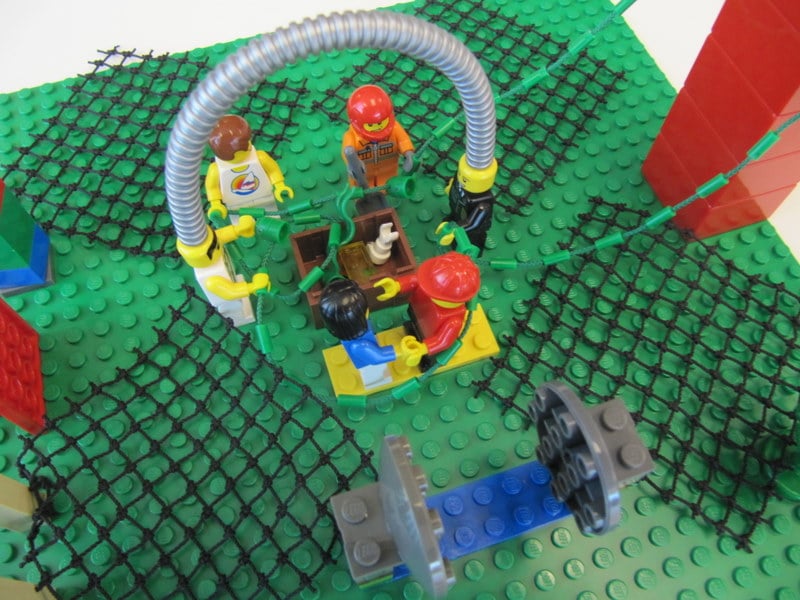
One of the exercises was for each participant to build an identical turtle from a kit using instructions. We were told that the turtle represented an ideal member of a team and ask to add one part that represented what we thought was important. In my case, I picked a flower (see photo on right). For me the flower stands for individualism that is needed to have a strong team. I am sad I did not video record my explanation or take notes since I can’t re-access the profound insight I had when created my model.
You can also see all the turtles that the group created in the photo below. Even though some us picked the same Lego piece to add, the location and narration of the meanings were quite different. So, in this case you really need to hear the debrief to understand the meaning.
Agile Community Vision
The next exercise was for each of us to build our vision of the Agile Community using a large collection of Lego without talking. After building, we took turns debriefing. You can see the different models that people created below. Mine is the one in the foreground with a tall antenna and bridges to other communities. As I went through the exercise, I found that I was learning things about myself. This can be a very revealing exercise.
Check out a very short video where I explain my model.
Shared Agile Community Vision
In the next exercise we built a shared vision that incorporated ideas from the individually created models. As we did this we clarified and enriched our metaphors. It was a very interesting social/team exercise to work through the ideas.
There was only one rule to guide us: everyone had to feel comfortable with the model. If there was a part that did not work for them, we were to remove it.
Here is a short video where we took turns explaining parts of the model:
For me, 2010 was a year for attending many conferences but I only did one planned training session – Innovation Games® Master Course with Luke Hohmann – and it was awesome.
I am writing this post to share with you a little of what happened. Below is a photographical tour of the 2 day workshop. You can click on the images to see a higher resolution image.
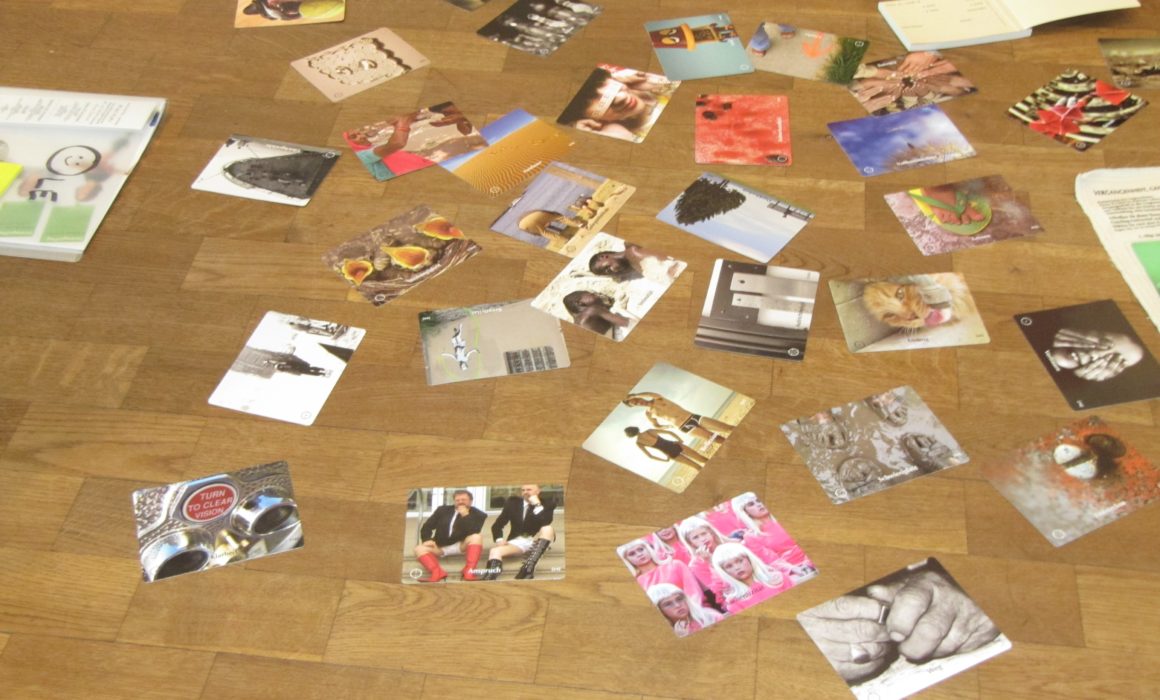
It all started with name cards
Who knew what a fun activity this could be? It’s not everyday that I get to use glitter glue …
Never enough wall space
With interaction knobs turned to “11″, the walls were covered with Big Visible Charts or Information Radiators. Note for Agile teams – you can never have enough wall space. A projector was only used for a little bit on the second day.
Grow the Product Tree
Grow the Product Tree is a variant of Prune the Product Tree where the participants create all the leaves. So no pruning, only growing. This is how to play the game if you want to generate lots of options.
Luke Explaining
Luke spent a lot of time telling war stories about using games. For me this was great. Lot’s of learning and gems. In the photo below we were discussing running parties and galas in online games.
Spider Web for Financial Services Product
Big paper = Big Ideas! Map out how your product interacts with related products.
When and where to Use Games
Here we see what games might be played to support a team at various points in the planning horizon. For example, at the strategy level, we might want to answer the question “What is our BHAG (Big Hairy Audacious Goal)?” and we might use the game Product Box to help answer this.
Same but for Product Development Lifecyle. For example, after the release of a product, we might want to answer the question “What do customers like about the product?” and we might use the game Show and Tell to help answer this.
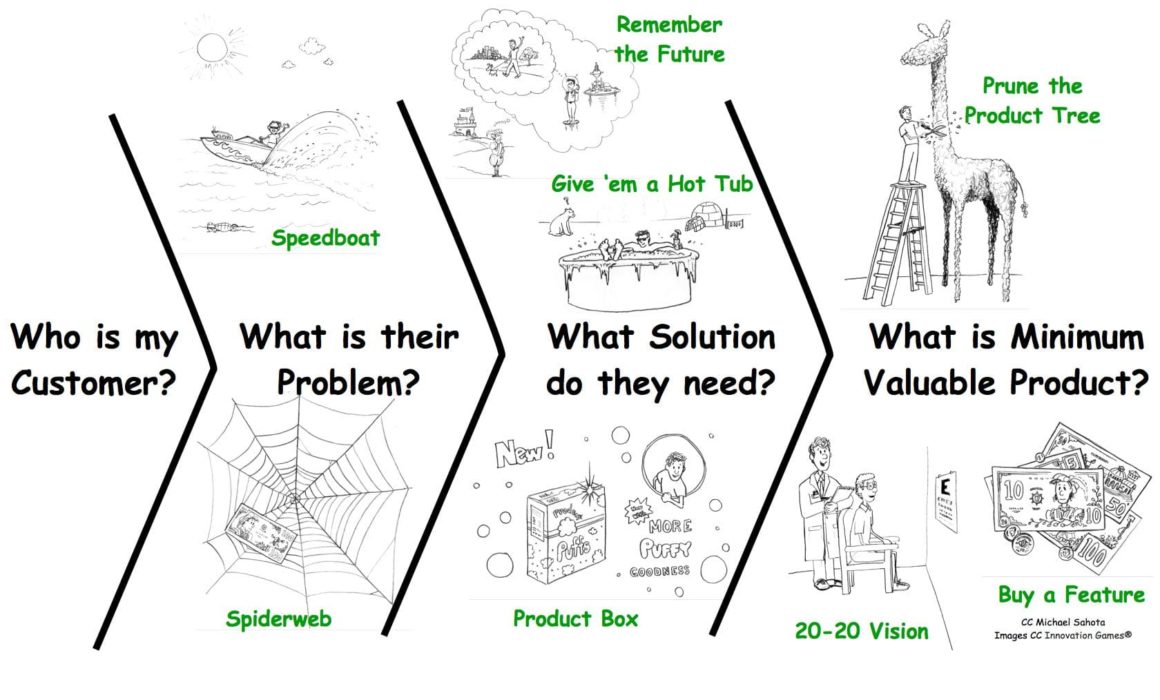
The above diagrams show that all you need is an image and you can create a brand new game.
Here is the way one way to see Innovation Games® (Click for hi-res image).
The diagram came out out Luke Hohmann’s Innovation Games® Master class in September. In my search for order, I decided there were three main categories of innovation games:
Generative – for generating new product ideas
Prioritizing – understanding relative priorities of different features
Understanding Product Use – all about how customers use the product today
In the diagram I have bucketed each game in it’s primary category. The one that resists this classification is Prune the Product Tree which can be very unstructured and generative (participants write features) or highly structured and used for prioritization (features are pre-selected). It all depends on who writes the leaves.
Wow! Agile Games Day Workshop! What a great way to end Agile Tour Toronto! Here’s what people had to say about Gino Marckx and my workshop:
“Fun, Energizing, Informative I liked adjustments during the day to our plan – nice! Facilitators checked in to see where group was at (all day – during games too)” – Alistair McKinnell, Agile Coach
“Engaging, Fun, Self-discovery High energy personalities in delivery; not sitting all day and mixing the groups up” – Colin Bowern, Technology Coach and Solutions Architect
“Fun, Engaging, Educational I liked the split from play to how to facilitate; the mixture of games and game lengths; the flexibility to adapt to the needs of the group” – Sarah, Coach
“Engaging, Fun, Insightful I liked talking about different roles; it was laid back and fun; good energy and inspiring. – Nick Faulkner, Team Lead
“Fun, Insightful, Amazing We adjusted as we moved through the day and we took longer where there was value” – Alex Aitken, Consultant
Mistake #1 – Too many games
It all started a week before when participants met online to play the Innovation Games® Buy A Feature game to select what games we would play. Gino Marckx and I provided a menu of 20+ games. The prices? We use the number of minutes for a session. It was a public game, so feel free to check out our results or run your own games.
The first mistake was that we had too high a budget when playing Buy A Feature. I had worked out the approximate number of minutes and decided to budget 30% of the time so we would be a little under the total time. Problem was I forgot to change the default from 40% so we ended up with too many minutes.
How would you recover?
Gino and I used dot voting to prioritize the games selected so that we would play the most important ones first. Here is what we came up with. (Note: no votes for team games since we did this right at the start before the voting). The games are listed from top to bottom based on “ROI” (dots/time).
Mistake #2 – Budgeted times off by 40%
As the day progressed, it became clear that the time budgets we had allocated were too low. Way too low.
How do we know this? Well, having just finished a Kanban workshop, I created a control chart to track actual time in comparison to budget time. See photo below.
Root causes?
When we were having valuable debriefs we kept going, rather than keep to our timebox.
After each game was finished, we had a game facilitation discussion to talk about when you might play the game, setup needed, tips and tricks, etc. People found this very valuable.
The games are tiring and people needed more breaks than planned.
The two big games – Business Value Game (BVG) and Yellow Brick Road really benefit from having 2 hours instead of 1.5 hours. This is consistent with my earlier playings of BVG.
Constellations (30 min) is used to share team perspectives around values and beliefs. The information allows team members to help each other through challenge areas and provide hooks to talk about problems. We also played Tribes as a warmup but don’t have a description for this.
MarketPlace (60+ min) is used to inform team members about skills help by one another. This helps on many levels. First, you know where people are coming from. Second, you learn what skills and capabilities they bring to the project. Third, you may notice other things about them that can help the project succeed. Fourth, appreciating skills creates a powerful connection between the team members.
Play these games with all team members when you start working with them.
Product Backlog Management
Business Value Game (90+ min) helps players understand different views of value and think about the challenges of modeling business value. In particular it gets players to think about how to keep customers happy and balance technical improvements with feature delivery. It also hammers home the importance of reviewing acceptance criteria. Play this game with Product Managers/Owners and everyone involved in backlog prioritization.
Emergent Design
Marshmallow Challenge (45 min) helps players understand the benefits of incremental and evolutionary design. Teams that balance planning with experiments and learning about the problem domain do a lot better than teams that do a lot of upfront planning and no learning. Play this game to shift away from Big Design Up Front. This is suitable for all team members and especially important for Product Managers/Owners and Architects/Designers.
Developing Coaching Skills
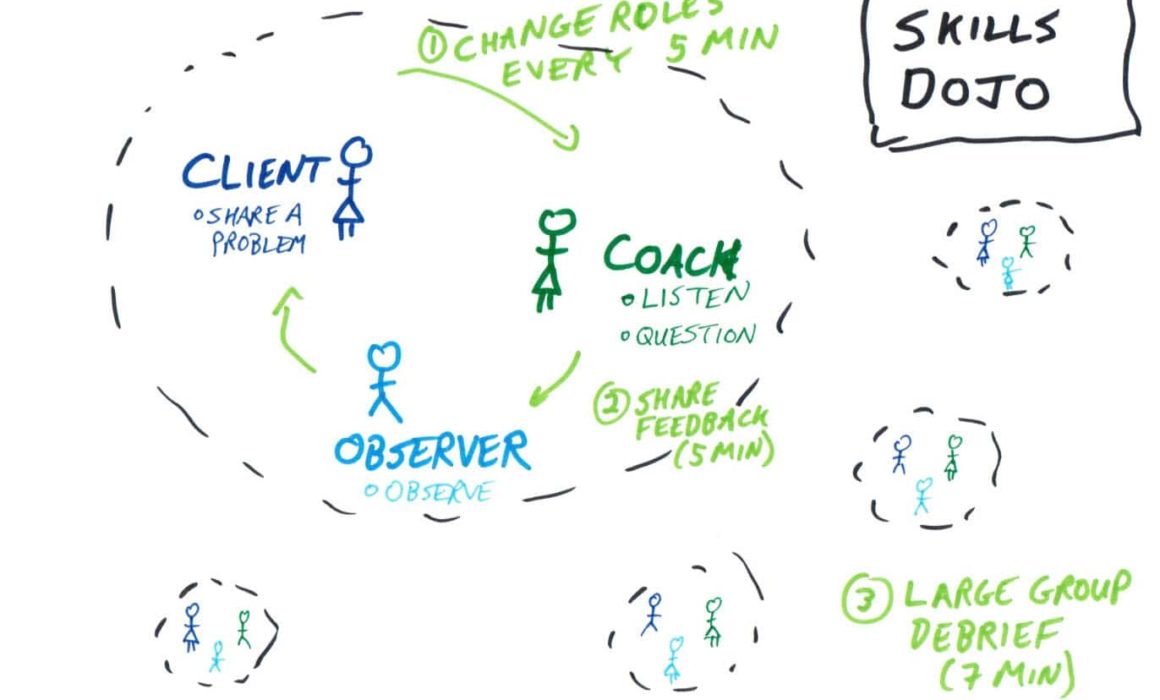
Yellow Brick Road: Fresh Insights through peer coaching (90+ min) allows people to develop their coaching and observation skills so that they can help one another. A side effect of the game is that people can solve real problems. This is a good game to play with ScrumMasters, internal coaches and managers.
Value of working in small batches
Penny Game (30 min) is a fast and effective demonstration of how customer responsiveness can be improved through delivery of work in small batch sizes. It also highlights the importance of identifying organizational impediments to productivity and selecting high priority stories first to maximize ROI. I like to play the game when introducing teams to Agile and Lean/Kanban – especially to motivate user stories vs. big requirements.
Concurrent Projects delay delivery
Name Game (10 min) shows how delivering to multiple client projects at a time will give the perception of responsiveness but will lengthen delivery times. Great game to play with managers, project managers and Product Managers/Owners.
Multi-tasking reduces effectiveness
Multi-tasking (10 min) is a quick pen and paper exercise that illustrates how multi-tasking reduces the effectiveness for an individual. Play it with managers and team members that think working on multiple projects or multiple tasks is a good idea.
John Goodsen and I set out to deliver a great one day Kanban workshop as part of Agile Tour Toronto 2010 and we hit this one out of the park.
What People had to Say about the Training
“Engaging, Practical, Fundamental I liked the flow from concepts to games/practice; moved quickly; teamwork/collaborative learning.” – Alex Zeldin, Manager Planning and Business Solutions
“Wicked, Awesome, Cool I liked the games and the Q&A session at the end.” – Trevor Ramoutar, Project Manager
“Interactive, Informative, Practical A very lively workshop – you could feel the experience the trainers have! Thanks a lot.” – Hedi Buchner, ScrumMaster and coach.
Below are the exercises we use from the book. Most of what we used was from Connections and Conclusions. We played lot’s of games for concrete practice. We had limited use of slides (see bottom of page) to illustrate concepts. My overall take is that we covered less and did it with much higher quality.
Introduction
Connections – “PostIt/What’s in it for me?” (p.99)
Hand draw poster with “What’s in it for me?”
As people arrive, have them write WIIFM on PostIts with their Name.
Connections – “Think then Ink” (p.98) + Knowledge line
“Think about what you already know about this topic. Write three facts on an index card.
Form a line from most to least knowledgable about Kanban/Agile to least.
Share your facts on index card with your neighbours.
In a line from least to most, everyone can share one thing with the class
Lean: Waste & Value Stream Mapping
Connections – Card Carousel (p.106) – 2 minutes
Pass around cards with topics written on them: Value Stream Mapping, Muri, Mura, Muda, Value, Toyota Production System, Waste
Oops – forgot to integrate cards when reviewing material.
Idea – Would have been good to have people make notes during waste discussion of what they have seen in their workplace and then make a top 10 list.
Flow Basics
Connections – Table Talk (p.105)
In pairs (or triple), decide what is more important (rank/order them): (3 min)
Reducing multitasking
Smaller batches
Identifying bottlenecks
Share with class (3 min)
Conclusions – same exercise as at the beginning. Wow, what great discussion. People really remember this part.
Closing of the Day
Evaluation – Where do you stand? (p 221)
How comfortable to you feel with the material? Stand where you are.
Ready to roll — On the way — Not quite yet
Take 3-5 minutes for pair/triad discussion.
Report back to larger group
Course Feedback forms – May we quote you? (p223)
Get Kanban Game
The whole workshop was organized around playing Russell Healy’s GetKanban Game in the afternoon. The morning was all about layering in basic lean concepts followed by a quick intro to Kanban – just enough to play the game. Afterwards, we covered various topics through parking lot (Q&A).
I give the game a thumbs up and will definitely use it again. One important note that John and I clued into is that the game presupposes that people understand breaking work into small batches/tickets and limiting work in process. That’s why we played several games in the morning to establish the basics of flow. See slides for specifics.
Yes, John and I eat our own dog food. We used Kanban to visualize the work we needed to do to prepare for the workshop. Below is a snapshot of our Kanban board we created in google docs. See Henrik Kniberg’s sample.
Thanks
John and I would like to thank everyone who shared material with us to prepare our slides – notablly Henrik Kniberg, Mary Poppendieck and Jon Stahl.
I would also like to thank Russell Healy for discussions on rule variants of the Kanban Game.
For those of you who follow the Agile Games Google group, you may already be aware of my proposal to create a Serious Games Stage at Agile 2011. The initial title concept was Agile Game stage, but then based on feedback from the list, I read about Serious Games and realized that this title fits the bill.
This week I finally get to learn a ton of useful information at Luke Hohmann’s Innovation Games® for Consultants class. So when we got a chance to do Product Box, I picked the Serious Games Stage as my product. Below are photos of the product box I created as well as a lightning talk (video) where I sell it (You may want to up the resolution to 720p when viewing).
For this meeting, I ask for a cross-functional group that can define the steps involved with going from concept to cash. This group may be in the 5 to 15 person range depending on the organization. Depending on how many people you have you may want to split them into multiple groups. Groups can do the same or different processes. My rule is to get to as small a group as you can and still have enough knowledge of the process.
With regard to time – 2 hours may be enough for a small company while a large bank may require the full 3 hours.
Below are the slides I use to introduce the workshop. Mostly you’ll just see pictures that I use to introduce the concepts, so you gotta know this stuff well. In addition to value stream mapping, I talk about Muri, Mura, Muda and have them think about the 7 types of waste.
Before starting the exercise, I run through creating a value stream map with them so they get a feel for how it works and agree on conventions.
As people indicate what the steps in the value stream map are, I write up each step and create the legend shown on the left. It doesn’t really matter what process you use – the point of this part is to give them a feel for identifying each of the parts. Go through a few steps until you can see they are getting the hang of it. Remember to write the time on value added and waste stickies (missing in legend).
Size matters. Queue size, that is. It is important to show how much WIP (work-in-process) there is at each step. People often know things like: we have a product roadmap with 200 features in it or 9 features waiting for development.
Some teams may not feel comfortable identifying any activities as waste. That’s OK. They may not be ready for that yet.
Mapping Exercise
It helps to pick a concrete project that is typical for the organization. Something like an average feature, typical client request or urgent defect fix. This helps people move away from a conceptual process to talk about what actually happens in real life.
It is a good idea to warn people that they may be surprised with how things actually work. Taiichi Ohno, one of the founders of Toyota Production System, joked that it is good to have a poor starting place so there are easy opportunities to show process improvement.
During the exercise, I float between the groups to answer questions and make sure things are on track. After about 20 minutes the teams are usually cooking and can proceed on their own.
Once everyone is finished, each team presents it’s value stream map to the large group. Sometimes there are minor corrections, but these are usually fine details that don’t change the big picture.
Example Value Stream Map
Below is an example (click for a large image) of a completed value stream map for funded development at a 50 person product company. In this particular case, the company noticed that 5 days of planned work actually took 15 days (with rework) plus another 10 days of waste due to communication overhead.
Special enhancements:
Along the top we have communication waste – this is the extra time needed to manage a project in a dysfunctional process that spans 9 months.
Below the main flow we have rework arrows. Each arrow indicates the % chance that the work item needs to return to an earlier step. As can be seen, there are multiple return trips after reaching production.
Debrief with management
At the start, I explain the overall activity and its purpose. Together with some of the original authors of the map, we walk through the steps. I stick to explaining the Value Stream Map concepts and let others explain the content. Managers are usually surprised at how long it takes to complete work.
It is especially important to clarify that we are talking about the Lean concept of system efficiency - defined as time working on product/elapsed time. This will be unrelated to other measures of efficiency at the company.
The usual follow-up on this workshop is one to specify the desired future state. Of course, all of this is a great candidate for using the A3 technique.
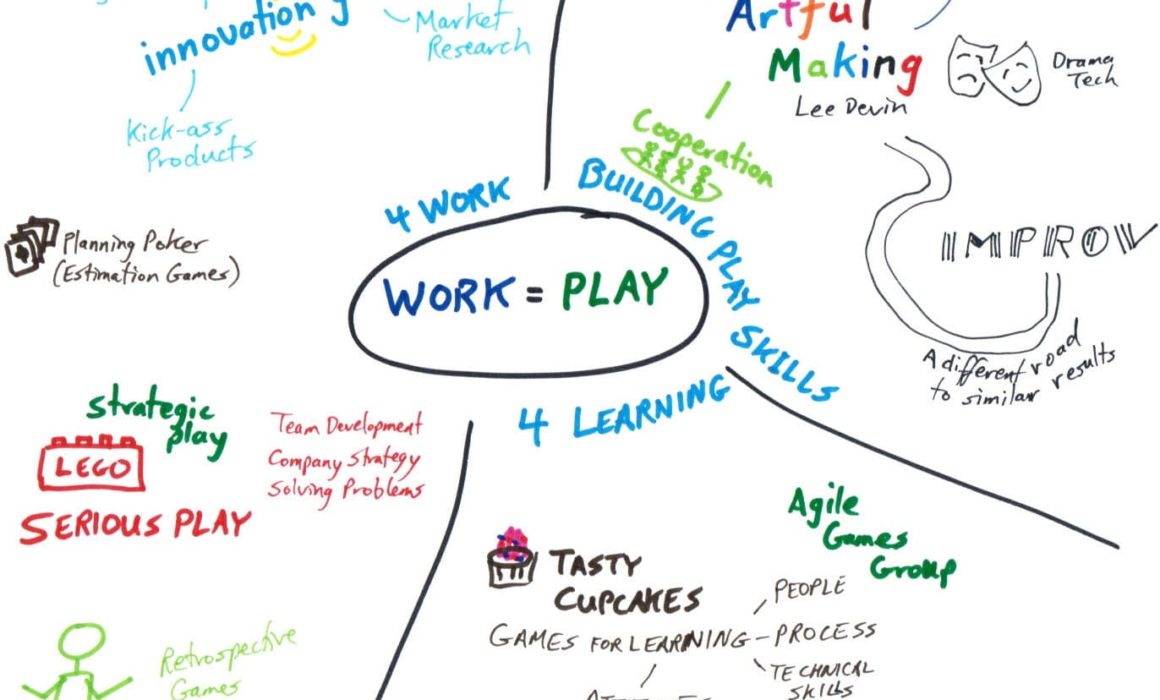
As a trainer, I have become increasingly convinced that games and simulations provide an excellent platform for learning concepts and new behaviours. I am playing and training with more and more games than ever before. It was getting hard for me to remember all the games and decide which one to use in a particular situation. (Can someone please create a public website where we can list games, rate them and tag them by the problems they solve?)
Where Games Play
Here are some of the games that I am currently use or want to use in training. I have played and used more than this, but I can’t list everything…
What’s with the grid?
People – games about people learning individual skills or learning about individuals
System - games about the team or organization
Concepts - games primarily about teaching concepts or ideas
“Experiencing our reality” - games the help us understand ourselves and our context
Links – People/Concepts
Multi-tasking – Illustrates how multi-tasking reduces effectiveness for an individual. (10 min)
Collaborative Origami – Importance of face to face communication (vs. distributed) (15 min)
Failure Bow – To innovate you need to celebrate failure. Learn how. (15 min)
Yes, And (not Yes, But) - Shift your mindset towards collaboration (15 min)
MarketPlace – share skills with the team (60+ min)
Other thoughts
Please draw your own maps and share them!
Other games
I did not include games that have are designed to achieve and outcome such as retrospectives, planning poker or Innovation Games® since the primary purpose is not training/teaching. These are important too.
Subtitle: How we created and played a brand new game all in one day.
On Day 2 of DeepAgile, Michael McCollough and Don McGreal got us started on with a game design workshop. From there we used open space to invent and play the game with other attendees. This blog shares what we learned about product backlogs and game design.
Getting started: A room with a view
The first job in open space was to create 3 consecutive session in the open space (one for each of: objectives, design and play – see photo). I announced that each open space session was independent and that people could attend just one or all – we would do a re-start at the beginning of each one. Working and collaborating with others – what a great way to use Open Space.
I scoped out an amazing room at NERD with a round table, ceiling-height whiteboard and a spectacular view. Perfect for inspiring a team and encouraging collaboration.
Learning Objectives: Keep it simple
We started with a long list of learning objectives at the end of Mike & Don’s workshop (see photo on left). We knew this was way too long and had it winnowed down to the three within the next hour (see photo on right). By the end of the day we had stripped it down even further to just the first objective: there are multiple ways to represent a backlog. KISS strikes again.
The Problem: Product Backlog Management has challenges
The starting place was to help product owners to organize and prioritize their backlog. We spent discussed the topic for a while to get on the same page. We figured out there are a whole bunch of steps involved in building and maintaining a backlog (See diagram below):
Identify Stakeholders
Identify work (Stories)
Estimate work (units, T-Shirt sizes); identify risks
Organize & Prioritize <– Focus of our game is on organizing
Communicate
Execution & tracking (Release burndown/up)
Re-prioritize
(We had a great diagram on the whiteboard but can’t find it. So I redrew it from memory and added some flourishes.)
The simple act of preparing brainstorming objectives for the game led to a better understanding for all of us on the full life cycle of a product backlog. The big picture allowed us to focus in on one part: organizing and prioritizing. Even this was too big! We split approaches and concepts into ones that were more about organizing and ones more about prioritizing. At this point we had three game concepts:
The missing stakeholder game – who are my stakeholders and why are the missing? (prioritization)
“Malfunction at the stakeholder junction” – AKA the dysfunctional stakeholder game. “I want this.” “No, I want this.” (prioritization)
The Backlog is in the eye of the beholder – all about organizing based different stakeholder perspectives. (organization)
We did a strawman vote and there was a clear consensus around moving forward with the last one – on organization of the backlog.
Working together on the game
It was fun. Really fun. I played the role of product champion and facilitator.
We started with the Pomodoro Technique to stay focussed and on track (yes, I even drew tomatoes on the whiteboard). In the design session, we got into a state of flow and just kept going to meet our timebox.
We had to deliver a game since it was announced and on the open space board! As my thesis supervisor said – “Nothing concentrates the mind like a deadline.”
We did lot’s of brainstorming. Everyone was really good about coming up with ideas and letting go of ones that weren’t working out. One idea Greg Ott came up with was that of a garden (see photo on right). After a while this turned into the the farm metaphor we decided to use for the game. In retrospect, having a huge wall to keep ideas alive was invaluable.
Playing the Game
Playing the game was a lot of fun. You could feel the energy in the air (see photo) and the room was packed with designers, players, and observers. We got mostly very positive reviews.
Thanks to everyone who designed, played and supported us. Special thanks to core co-inventors: Warren Elliott, Greg Ott, Mary Gorman, Dan Zaino, Judy Rivais.
Michael McCollough and Don McGreal ran a valuable workshop on how to create your own game. Mike and Don have been creating simple, fun games for years and have noticed an approach they follow. See TastyCupcakes for lots of great games. As a caveat, they outline one particular style of game development – simple games. This is in contrast with complex games such as XPGame and Business Value Game (which are favourites of mine).
It all starts with a problem. What do you notice going wrong? What do you want your teams to understand better?
Next come your objectives. Pick one to three things that you want the game players to learn. For extra points you may want to consider the Dreyfus model or Bloom’s taxonomy. These were suggested by attendees. Mike and Don keep it simple.
For a while you will need to spin and loop around as you search for an idea. As this happens, it is helpful to be constrained by some principles: stick to objectives and keep it simple (KISS). Inspiration will come from material (cards, balloons, etc), as well as games in other industries. Their mantra is “Beg, borrow, steal” and them make it your own. Learn from your participants – they will tell you a lot if you listen.
Finally, summon the courage to try it (or just do it). Start as soon as possible and iterate.
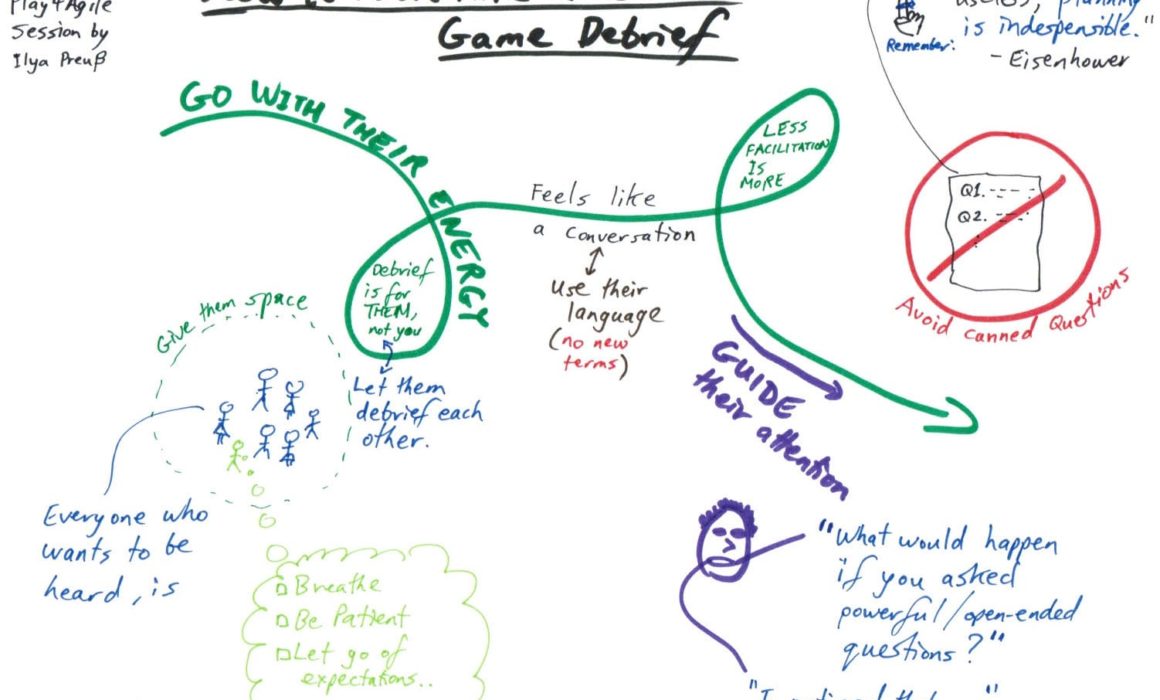
And remember, the whole point is the debrief. Give ‘em space and let ‘em discover.